
Sharp Microwave Drawer Problems? Your Ultimate Repair Guide
A Sharp microwave drawer is a centerpiece of modern kitchen design, offering sleek aesthetics and convenient access. But when this sophisticated appliance stops working correctly, it can bring your daily routine to a screeching halt. Before you panic and schedule a costly service call, many common issues can be diagnosed and fixed with a bit of know-how.
This comprehensive guide will walk you through the most frequent Sharp microwave drawer problems, from a drawer that won’t budge to a control panel that’s gone dark. Understanding these issues is the first step toward a successful and affordable solution.
You'll Learn About
Decoding the Most Common Sharp Microwave Drawer Failures
Microwave drawers, with their unique moving parts and integrated electronics, have specific points of failure that differ from their countertop cousins. Homeowners most often report issues with the drawer mechanism, power supply, control interface, or the core heating function. Identifying the exact symptom is crucial for a targeted repair.
We will explore the underlying causes of these common frustrations and provide actionable, step-by-step solutions to get your appliance back in working order. From simple resets to minor mechanical adjustments, many fixes are within your reach.
The Stubborn Drawer: Troubleshooting Opening and Closing Failures
One of the most common complaints is a drawer that refuses to open or close smoothly. This issue can range from a slight hesitation to the drawer being completely stuck. The problem often lies within the drawer’s mechanical system or its electronic sensors.
Start by performing a hard reset. Unplug the microwave or flip the corresponding circuit breaker for a few minutes. This can often resolve electronic glitches that may be confusing the open/close sensors.
If a reset doesn’t work, the next step is to inspect the drawer tracks. Carefully check for any food debris, utensils, or other obstructions that could be physically blocking the path. A thorough cleaning of the tracks with a soft cloth and a mild degreaser can solve surprisingly stubborn drawer issues.
The Silent Appliance: What to Do When There’s No Power
A microwave drawer that shows no signs of life can be alarming, but the cause is often simple. Before suspecting a major component failure, always check the power source. A tripped circuit breaker is a frequent culprit, so locate your home’s electrical panel and ensure the breaker for the microwave is in the “On” position.
If the breaker is fine, the issue could be the outlet itself. You can test this by plugging another small appliance into the same outlet. If that appliance doesn’t work, the problem is with your home’s wiring, not the microwave, and you should contact an electrician.
Should the outlet be functional, the microwave’s internal fuse may have blown. Replacing a fuse is a more involved repair and requires caution, as microwave capacitors can store a lethal electrical charge even when unplugged. For this reason, fuse replacement is often best left to a qualified technician.
The Unresponsive Panel: Fixing Button and Display Glitches
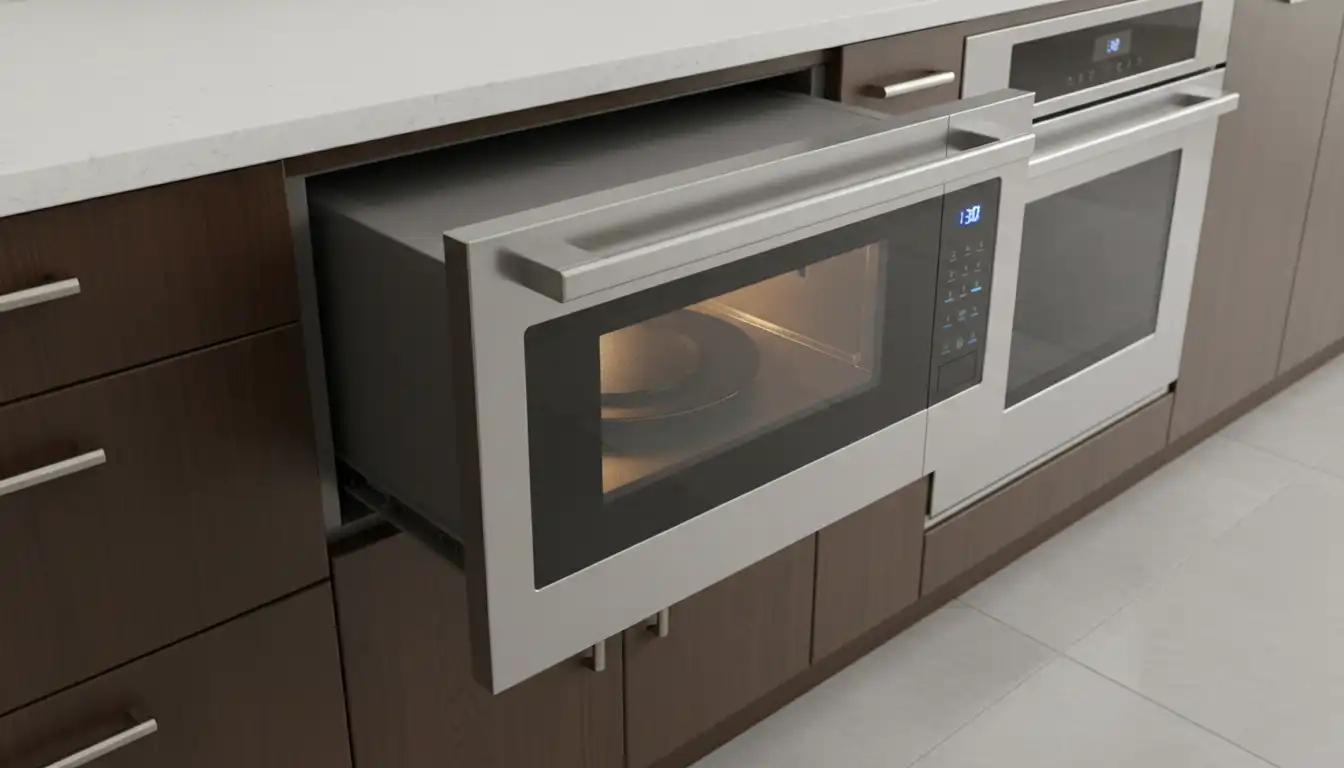
When the control panel or display stops responding, it can render the appliance useless. A common and easily fixed cause is the “Control Lock” or child lock feature being accidentally activated. Consult your user manual to find the specific button combination required to disable this feature, which often involves pressing and holding a button for several seconds.
Power surges or minor software errors can also cause the control panel to freeze. A simple hard reset by cutting power at the circuit breaker for a few minutes can often reboot the system and restore functionality. This is a critical first step before considering more complex repairs.
If the panel remains unresponsive after a reset, the issue could be a loose internal connection or a faulty control board. Moisture from excessive steam can sometimes interfere with the touchpad’s sensitivity. Ensure the panel is clean and dry, but if problems persist, professional service may be required to diagnose and replace the electronic components.
Alarming Sights and Sounds: Addressing Sparks and Unusual Noises
Seeing sparks or hearing grinding noises from your microwave is a clear sign to stop using it immediately. Sparks, or arcing, are most often caused by metal inside the microwave cavity. Check for any stray aluminum foil, metallic-trimmed dishware, or utensils.
Another common cause of sparking is a damaged or dirty waveguide cover. This small, typically rectangular cover protects the microwave’s delicate electronics from food splatters. If it becomes coated in burnt-on food or damaged, it can cause arcing. Carefully remove and clean the waveguide cover with a damp cloth or replace it if it shows signs of damage.
Grinding or buzzing noises often point to a mechanical issue. The stirrer motor, responsible for distributing microwave energy, or the drawer’s drive motor could be failing. These are complex internal repairs that should be handled by a professional to avoid further damage.
A Deeper Dive: Understanding Your Microwave Drawer’s Anatomy
To truly master troubleshooting, it helps to understand the key components that make your Sharp microwave drawer unique. Unlike a standard microwave, its design introduces specialized parts that can be sources of failure but also keys to a successful repair. Recognizing these parts and their functions empowers you to diagnose problems more accurately.
From the intricate drive mechanism that glides the drawer open to the electronic brain that controls its every move, each part plays a vital role. This knowledge transforms you from a frustrated owner into an informed troubleshooter.
The Drive Mechanism: The Heart of the Drawer Motion
The smooth, automated movement of a microwave drawer is controlled by a dedicated motor and belt system. This assembly is the primary difference between a drawer and a standard swing-door microwave. When the drawer hesitates, jams, or moves erratically, this drive mechanism is the first place to investigate.
Over time, the drive belt can stretch or break, and the motor can wear out. While replacing these parts is possible, it requires careful disassembly. Understanding that a physical component is responsible for the motion helps differentiate it from a simple electronic glitch.
The Magnetron & Waveguide: The Science of Heating
The core of any microwave is the magnetron, which generates the microwaves that heat your food. The waveguide is the channel that directs this energy into the cooking cavity. A faulty magnetron is often the culprit when the microwave runs but doesn’t heat the food.
As mentioned earlier, the waveguide cover is a critical protective element. Allowing food debris to build up on this cover can lead to serious arcing, which can permanently damage the magnetron. Regular cleaning is the single most effective way to protect this vital and expensive component.
The Control Board: The Brains of the Operation
The main control board, or CPU, governs every function of your microwave, from the timer and power levels to the open/close commands. This electronic “brain” is sensitive to power fluctuations and moisture. Many “unexplained” issues, like a dead control panel or erratic behavior, can be traced back to a scrambled or failed control board.
While a simple power cycle can often reset a scrambled board, a complete failure requires professional replacement. Protecting your appliance with a surge protector can help shield this critical component from damage. The complexity of modern kitchen layouts, such as ensuring a 10ft kitchen island is properly wired, underscores the need for stable power to all appliances.
Proactive Care: A Blueprint for Preventing Future Problems
The best way to deal with Sharp microwave drawer problems is to prevent them from happening in the first place. A routine of simple, consistent maintenance can dramatically extend the life of your appliance and save you from the headache of unexpected failures. It only takes a few minutes each week to ensure years of reliable service.
Proper usage and careful cleaning are the cornerstones of preventative care. Treating your microwave drawer with care not only preserves its function but also maintains its sleek appearance in your kitchen design.
The Power of Regular Cleaning
Never underestimate the importance of keeping your microwave drawer clean. Food splatters and spills are inevitable, but letting them sit can cause serious damage. Spills on the drawer tracks can harden and obstruct movement, while food debris on the interior walls or waveguide cover can lead to dangerous arcing.
Wipe up spills immediately with a damp cloth and a mild detergent. For the tracks, use a soft brush to clear away any crumbs. A clean microwave is a safe and efficient microwave.
Best Practices for Daily Use
How you use your microwave drawer every day impacts its longevity. Avoid slamming the drawer shut; a gentle nudge is all that’s required for the automatic closing mechanism to engage. Always use microwave-safe cookware and never operate the appliance when it is empty, as this can cause severe damage to the magnetron.
Proper installation is also key to long-term performance. Ensuring adequate ventilation and correct cabinet height is crucial. An issue like an over range microwave cabinet too low highlights how poor kitchen planning can impact appliance function and safety, a principle that applies to built-in drawers as well.
Quick Reference: Troubleshooting at a Glance
When problems arise, a quick diagnostic chart can help you narrow down the possibilities and decide on a course of action. Use this table to match symptoms with likely causes and potential solutions.
| Problem | Possible Cause | Simple DIY Solution | When to Call a Professional |
|---|---|---|---|
| Drawer won’t open/close | Obstruction on tracks; Electronic glitch; Control Lock on | Clean tracks thoroughly; Power cycle the unit; Disable Control Lock | Drawer is physically damaged; Grinding noises from motor |
| No power / Dead display | Tripped circuit breaker; Faulty outlet | Reset breaker at the electrical panel; Test outlet with another device | Internal fuse is blown; Faulty control board |
| Microwave is sparking | Metal object inside; Dirty or damaged waveguide cover | Remove all metal utensils/foil; Clean or replace waveguide cover | Sparking continues after cleaning; Burning smell from cabinet |
| Control panel unresponsive | Control Lock is active; Minor software glitch | Disable Control Lock feature; Perform a hard reset via circuit breaker | Panel remains dead after reset; Buttons work intermittently |
| Not heating food | Incorrect power level setting; Door not fully closed | Ensure power level is at 100%; Check for obstructions preventing full closure | Microwave runs but never heats; Faulty door switches or magnetron |
When to DIY and When to Call a Professional
Knowing your limits is key to safe and effective appliance repair. While many microwave drawer issues can be resolved with simple steps, some problems carry a significant risk of electrical shock or require specialized tools and knowledge. Safety should always be your top priority.
DIY-friendly tasks are typically those that don’t involve opening the appliance’s main casing. These include cleaning, performing power resets, and checking external power sources. Anything that requires disassembling the unit to access internal components like fuses, capacitors, or the magnetron should be left to a trained technician.
Working with built-in appliances also requires careful planning of your kitchen’s layout. A common design mistake, like having a kitchen island too close to fridge doors, can create daily frustrations. Similarly, ensuring a technician has adequate space to access and service a built-in microwave drawer is an important consideration during the kitchen design phase.
A Smoothly Operating Kitchen Awaits
A functional Sharp microwave drawer is a true asset in any modern kitchen. While encountering problems can be frustrating, most issues have straightforward solutions. By methodically working through basic troubleshooting steps—checking power, cleaning components, and resetting the electronics—you can often resolve the problem yourself.
For more complex mechanical or electrical failures, don’t hesitate to contact a qualified professional. Armed with the knowledge from this guide, you can have a more informed conversation with the technician and ensure you get the right fix. With a little attention and care, your microwave drawer can provide years of convenient, reliable service.
Putting the Power Back in Your Drawer
By systematically checking the power supply, door interlocks, drawer mechanism, and control panel connections, you’ve gained the confidence to tackle the most common failures in your Sharp microwave drawer. Remember, many issues that seem like major faults—like a drawer that’s stuck or a display that’s dark—are often resolved by a simple reset, a thorough cleaning, or a quick check of an accessible switch.
Don’t let a temporary snag diminish the convenience and beauty of your modern kitchen centerpiece. With the knowledge from this guide, you are now equipped to keep your appliance running smoothly, saving you time and the expense of unnecessary service calls. Enjoy the perfectly heated results that a functioning Sharp microwave drawer delivers!
