
Photocell Light Turns On and Off? Here’s Your Fix!
There’s nothing more frustrating than your outdoor lights putting on their own disco show. That constant, annoying flickering isn’t just a nuisance; it’s a sign that something is wrong with your dusk-to-dawn lighting system. A photocell light turning on and off repeatedly is a common headache for homeowners, but the good news is that it’s often a problem you can solve yourself.
Understanding the simple technology behind these lights is the first step. A photocell, or photoeye, is a small sensor that detects ambient light. When daylight fades, its resistance changes, completing an electrical circuit to turn your lights on. When the sun rises, it detects the light and breaks the circuit, turning them off. This automation provides security and convenience, but when the system gets confused, the flickering begins.
You'll Learn About
Why Your Photocell Light Keeps Cycling: The Common Culprits
Before you can fix the problem, you need to identify the cause. That incessant on-and-off cycling is almost always a symptom of a handful of underlying issues, ranging from simple obstructions to more complex electrical quirks. Pinpointing the right one will save you time, money, and a lot of aggravation.
The #1 Cause: Light Confusion and Feedback Loops
The most frequent reason a photocell light flickers is what’s known as a feedback loop. This happens when the light from the fixture’s own bulb shines or reflects onto the photocell sensor. The sensor detects this artificial light, thinks it’s daytime, and turns the light off. But the moment it turns off, the area becomes dark again, prompting the sensor to turn the light right back on. This creates a rapid, continuous on-off cycle that can be maddening. Light can reflect from nearby surfaces like windows, white trim, soffits, or even a parked car.
A Dirty Eye: Obstructions and Grime
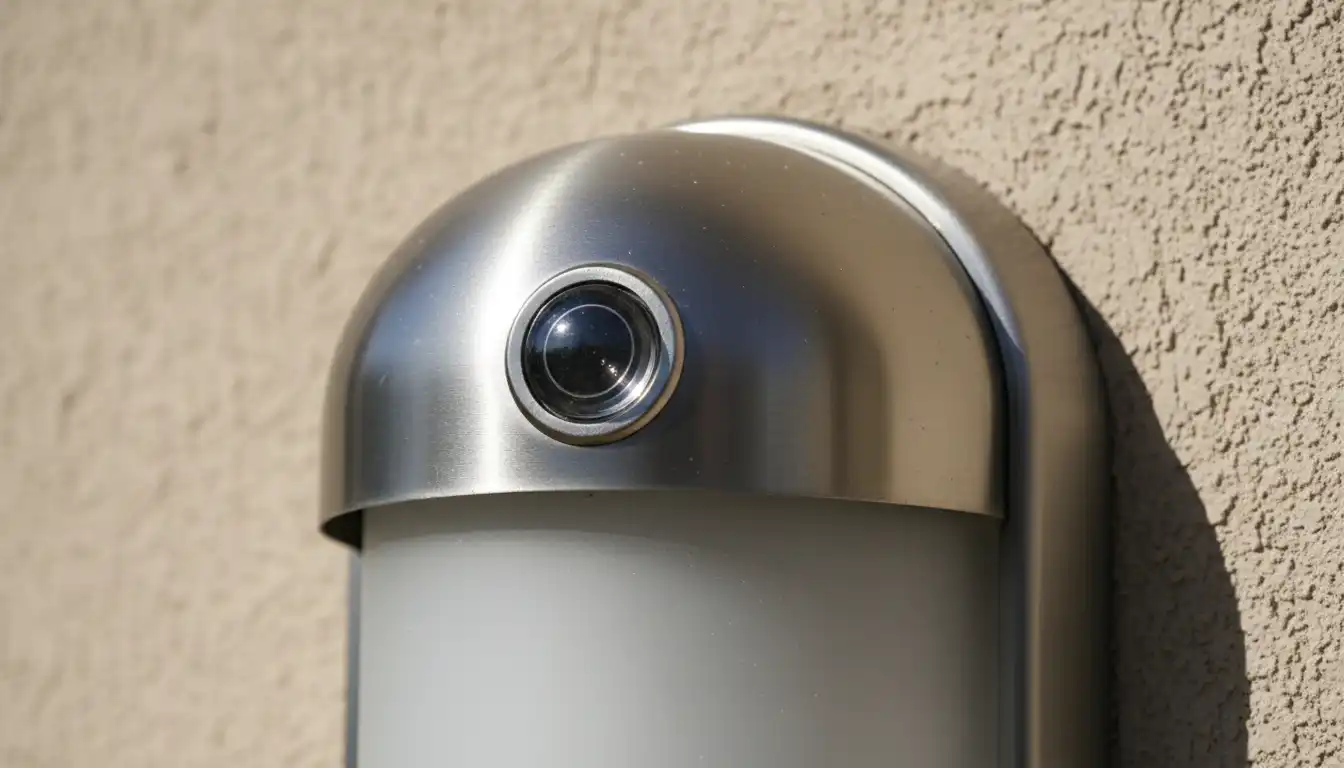
A photocell sensor needs a clear, unobstructed view of the sky to accurately measure ambient light levels. Over time, the sensor’s “eye” can become covered with dirt, dust, pollen, spiderwebs, or even bird droppings. This layer of grime can block light, tricking the sensor into thinking it’s darker than it actually is and causing it to turn on too early or behave erratically at dawn and dusk.
Similarly, overgrown foliage from nearby bushes or trees can create shadows or physically block the sensor. As branches sway in the wind, they can cause intermittent light changes that lead to flickering. Ensuring the sensor is clean and has a clear line of sight is a critical troubleshooting step.
Bulb Incompatibility: The LED & CFL Challenge
Not all light bulbs are created equal, and this is especially true when it comes to photocell fixtures. Using an incompatible bulb, particularly certain types of LEDs or Compact Fluorescent Lamps (CFLs), can cause strobing or flickering. Some older photocell switches were not designed to handle the low power draw or the electronic drivers found in modern bulbs.
If you’re experiencing issues, check that your bulbs are specifically rated as “dusk-to-dawn” compatible. Non-dimmable LED bulbs used in a circuit with a photocell can also create conflicts that result in unpredictable behavior. Sometimes, the solution is as simple as swapping the bulb for one designed to work with these sensors.
Age, Moisture, and Weather Damage
Outdoor light fixtures are constantly exposed to the elements. UV radiation from the sun, extreme temperatures, humidity, and rain can take a toll on the photocell sensor over time. The plastic housing can become brittle and crack, allowing moisture to seep inside and damage the sensitive electronics.
As the internal components degrade, the sensor’s accuracy diminishes, leading to failures like staying on all day, not turning on at night, or the classic on-off cycling. If your photocell is several years old and showing signs of wear, it may simply be at the end of its operational life.
Power Supply and Wiring Faults
While less common, the problem can sometimes lie with the electrical connection itself. Loose wiring in the fixture or at the electrical box can cause an inconsistent flow of power, leading to flickering. This is a more serious issue that can pose a safety hazard.
In some cases, especially with extensive outdoor wiring, a phenomenon known as voltage drop can occur. This is where the voltage reaching the fixture is slightly lower than what is required for stable operation of the photocell. If you suspect an issue like low voltage address light not working, it’s often a sign of a larger electrical problem that may require professional attention.
Your Step-by-Step Guide to Fixing a Flickering Photocell Light
Now that you know the likely causes, you can work through the solutions. Start with the simplest and most common fixes before moving on to more complex troubleshooting. Always turn off the power at the circuit breaker before performing any work on a light fixture for your safety.
Step 1: Clean the Sensor’s Eye
The first and easiest step is to give the photocell a thorough cleaning. You’d be surprised how often a bit of dirt is the sole culprit. Use a soft, damp cloth to gently wipe away any grime, dust, or debris from the sensor’s lens until it is completely clean. Avoid using harsh chemical cleaners that could damage the plastic.
Step 2: Eliminate Light Reflection
To break the feedback loop, you need to prevent the fixture’s light from reaching the sensor. A simple and highly effective trick is to use a small piece of black electrical tape. Carefully place a strip of tape on the side of the photocell sensor that faces the light bulb, creating a small shield or “hood.” This blocks the direct light without obstructing the sensor’s view of the sky.
In other cases, you may need to slightly reposition the fixture itself or the sensor if it’s adjustable. The goal is to aim the sensor towards the open sky, away from any reflective surfaces like white eaves or windows.
Step 3: Verify Bulb Compatibility
If cleaning and shielding the sensor don’t work, your next step is to check the light bulb. Remove the current bulb and inspect it. Ensure it’s specifically designed for use with dusk-to-dawn fixtures or photocells. If you’re using an LED or CFL, confirm it’s a compatible model.
As a test, try installing a traditional incandescent bulb. If the flickering stops with the incandescent bulb, you’ve confirmed that the issue was an incompatibility with your previous LED or CFL bulb. You can then find an LED bulb that is certified for this type of use.
Step 4: Perform a Power Cycle Reset
Sometimes, the electronics within the photocell can get “stuck” in a faulty state. A simple power reset can often resolve this. Go to your circuit breaker, turn off the power to the light fixture, wait for a full minute, and then turn it back on.
When power is restored during the day, the light should come on briefly and then turn off after a minute or two as the sensor recalibrates. This simple reset can clear temporary glitches within the sensor’s circuitry.
| Symptom | Likely Cause | Easy Solution |
|---|---|---|
| Light flickers rapidly at night | Light reflection (feedback loop) | Shield sensor with electrical tape or reposition |
| Light stays on all day | Dirty sensor or sensor in shade | Clean the sensor lens thoroughly; trim foliage |
| Light turns on/off at random times | Incompatible bulb (LED/CFL) | Replace with a “dusk-to-dawn” rated bulb |
| Light doesn’t turn on at all | Failed bulb or sensor | Test with a new bulb; replace photocell if needed |
Advanced Solutions for Persistent Problems
If the basic steps haven’t solved the issue, the problem may be more complex. These situations might require a bit more investigation or even a replacement part. Don’t worry, even these advanced fixes are well within the reach of a determined DIYer.
The Overlooked Factor: Minor Voltage Instability
One aspect of troubleshooting that is rarely discussed is the impact of minor voltage fluctuations. Most residential circuits experience tiny, insignificant dips and spikes in voltage. For a photocell operating right at the edge of its light-sensitivity threshold, these minute electrical changes can be enough to trigger an on/off cycle, especially at the dim light levels of dusk.
This subtle issue can explain why a light works perfectly for years and then suddenly starts flickering. The internal components of the sensor may have aged just enough to become more susceptible to these power variations. While difficult to diagnose without a multimeter, it’s often resolved by replacing the old sensor with a new, higher-quality one that has more stable internal electronics.
When to Replace the Photocell Sensor
If you’ve tried all the troubleshooting steps and the light continues to misbehave, the photocell sensor itself has likely failed. They are not designed to last forever, and replacing the sensor is an inexpensive and effective solution. You can often buy a standalone photocell sensor at any hardware store.
Replacement is a straightforward wiring job. After turning off the power, you’ll typically disconnect three wires from the old sensor (hot, neutral, and load) and connect the new sensor in the same configuration. Always follow the manufacturer’s instructions carefully. This is often the final fix when the issue is not a simple one, like when an address light is not working due to an internal failure.
Choosing the Right Fixture for Flawless Performance
When it’s time to replace a fixture or install new ones, making the right choice from the start can prevent these headaches altogether. Consider whether you want a fixture with a photocell built directly into the housing or if you prefer to use a separate, replaceable sensor. Integrated models offer a cleaner look, but standalone sensors can be easier to replace if they fail.
The style and material also play a role in longevity and aesthetics. Outdoor fixtures come in a variety of finishes to complement your home’s exterior. Options like bronze and black finishes are popular for their timeless appeal and durability against the elements, ensuring your lights look great and function perfectly for years to come.
By systematically working through these causes and solutions, you can put an end to the flickering and restore the reliable, automated convenience of your home’s outdoor lighting. A little bit of troubleshooting is all it takes to bring peace back to your evenings and ensure your home is both safe and beautifully illuminated.
